

Announcing Your Audora March 2026 Feature Release
What's New in Audora: More Control, Less Setup, Zero Excuses
Audits don't slow down because auditors don't know what to do. They slow down because the tools make them do more work than they should, clicking through the same setup screens again, tracking down the same approvals one at a time, re-entering the same dates from last year, and hunting down status on tasks that should just show you.
So this month, we shipped a big one.
March’s release is packed with updates, big and small, all pointed in the same direction: make every part of the audit workflow faster, cleaner, and easier to manage, from kickoff to close. Whether it's rolling over last year's engagement in a few clicks, bulk-approving evidence, or just knowing where every task stands without clicking into it, this release is built for teams that move.
Here's everything that's new.
1) Self-Service Engagement Rollover (Last Year's Work Is This Year's Head Start)
Starting a new engagement from scratch every year is one of the most preventable time sinks in audit.
With the new customizable self-service rollover feature, you can roll over a prior year's engagement directly into the new one — and make it your own before you dive in. Update the controls, revise the objectives or criteria, edit names, titles, and descriptions, and you're ready to go. No rebuilding from zero.
Why it matters: Less setup time, faster kickoff, and a workflow that actually matches how audit teams operate year over year. This one's a game changer for firms running recurring engagements.

2) Major Improvements in Engagement Creation and Setup (The Setup That Used to Take Hours, Doesn't)
The first few minutes of setting up a new engagement sets the tone for everything that follows.
We made major improvements to the engagement creation and setup experience, from streamlining the flow to making the steps clearer, faster, and more guided. Whether you're setting up from scratch or rolling over from a prior year, getting started now takes minutes instead of a major time investment.
Why it matters: Faster setup means more time for actual audit work and a better first impression for your clients when they get into Audora for the first time.

3) Bulk Approval of Evidence Requests (Finally, a Fast Lane for Evidence Sign-Off)
Approving evidence requests one by one is nobody's idea of a good time, especially when you're reviewing a large batch of completed items at once.
Now you can bulk approve evidence requests with just a few clicks. Select the ones (or all of them) you're ready to approve, hit approve, and move on.
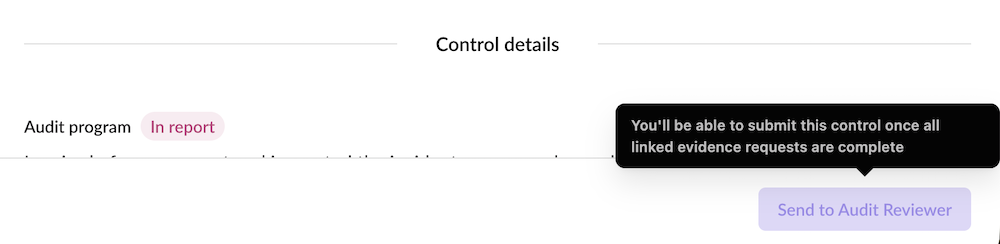
Why it matters: Fewer repetitive clicks, faster review cycles, and more time for the work that actually requires your judgment.


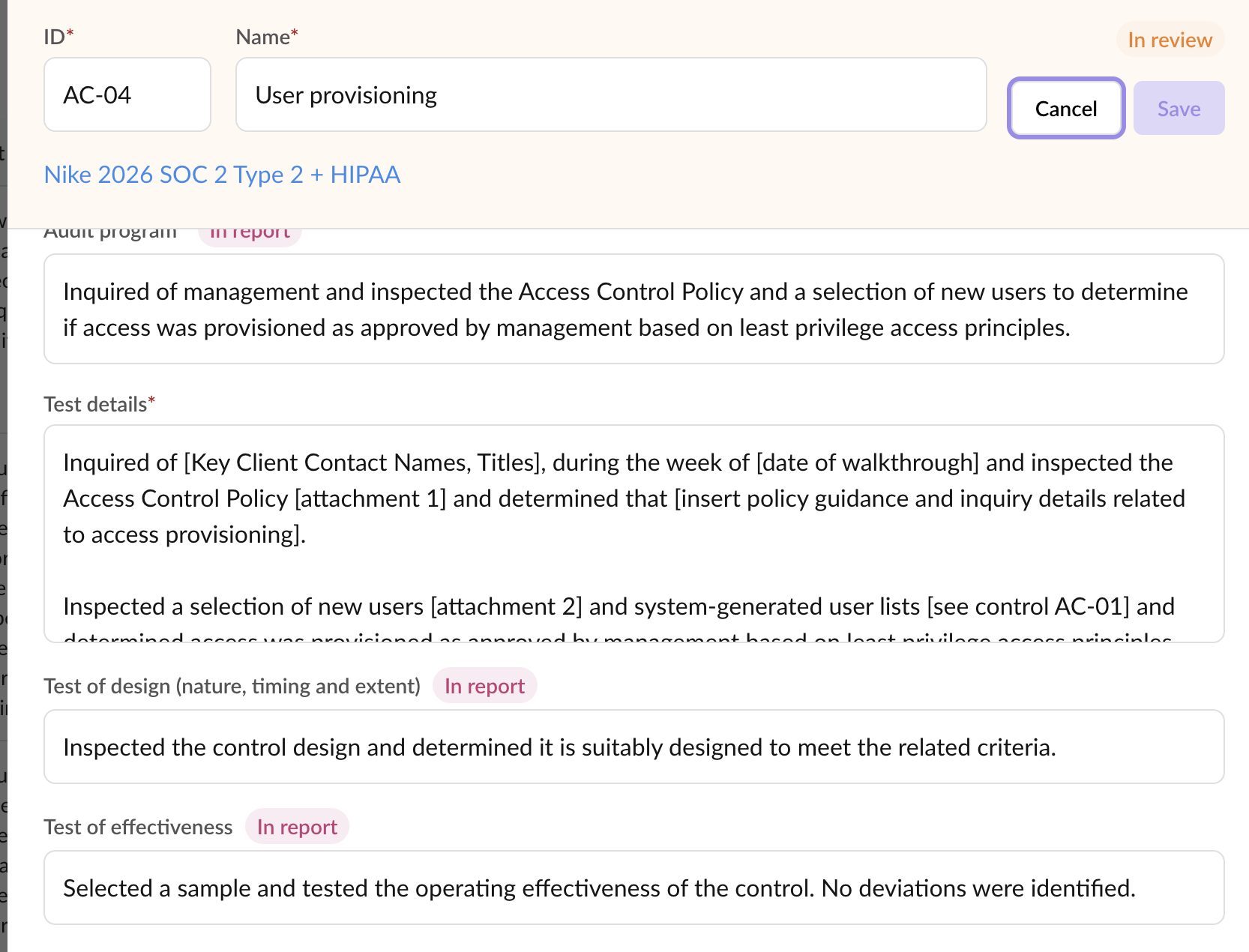
4) Test of Design and Test of Effectiveness Fields (Because "It Passed" Isn't Documentation)
Thorough control testing requires more than a pass/fail checkbox. Auditors need to document how controls are designed and whether they're actually working.
We've added dedicated Test of Design and Test of Effectiveness fields to controls, giving you dedicated space to capture both layers of your testing - clearly and consistently, right where the evidence lives.
Why it matters: More defensible workpapers, cleaner documentation, and a structure that aligns with how auditors are actually trained to think about control testing.
5) Process Improvement Opportunity (PIO) Section (Your Recommendations Deserve a Permanent Address)
Audits surface more than just deficiencies - they surface opportunities. Now there's a place to capture them.
The new Process Improvement Opportunity (PIO) section lets auditors document recommendations and improvement insights during the engagement, right alongside the rest of the audit work. No more sticky notes, separate docs, or trying to remember the good stuff at the end.
Why it matters: Better audit value, cleaner deliverables, and a built-in way to bring improvement insights to your clients.

6) Drag and Drop Multiple Files for Auditors and Auditees (Upload Like It's 2026)
Evidence collection shouldn't require uploading files one at a time.
Both auditors and auditees can now drag and drop multiple files at once — select a batch, drop them in, done. No more repeat uploads, no more waiting.
Why it matters: Even faster evidence collection, less friction for auditees (which means fewer reminders and faster turnaround), and a more modern experience across the board.

7) Real-Time Status Tracking with Full Audit Trail (Who Did What, When and Prove It)
Status shouldn't be something you have to ask about. It should be visible and traceable.
Every task in Audora now has real-time tracking of status changes as they happen. But we didn't stop there. Each status change also captures the full picture: what it changed from, what it changed to, who made the change, and the exact date and time it happened. A clean, built-in audit trail that requires zero extra effort from your team.
Why it matters: Fewer check-in conversations, faster triage, and when it matters most, defensible documentation of every step in the review and approval process.

8) Indicators for What’s Going in The Final Report (No More Guessing )
You shouldn't have to wonder which fields flow into the final report or worse, find out at the end that something was missing.
We added indicator labels next to field titles that pull into report output, so it's immediately clear what data matters for reporting before you get there. No documentation hunting. No surprises at delivery.
Why it matters: Auditors can fill in the right fields with confidence, and nothing falls through the cracks between evidence collection and report generation.

9) Clearer, Easier Switch Ownership (Handoffs That Don't Require a Handholding Session)
Transferring ownership of a task or engagement should be straightforward. Now it is.
We redesigned the Switch Ownership feature to be clearer and more intuitive, less confusion about what you're changing, who you're assigning it to, and what happens next.
Why it matters: Smoother handoffs between team members means fewer mix-ups and less back-and-forth during ownership transitions.

10) Profile Pictures and Company Profile Updates (Your Face, Your Firm, Your Setup)
Two profile improvements shipped this month, and together they make Audora feel a lot more like your platform.
First, user profile pictures now appear across all tasks throughout Audora — so you can see at a glance who owns what, who submitted evidence, and who's involved in each step of the engagement.
Second, we made improvements to company information and profile details, giving firms a more complete profile experience along with easier access to real-time support when you need it.
Why it matters: Clearer accountability across tasks, a more personalized platform experience, and faster paths to help when something comes up.

11) Verification and Invitation Email Improvements (First Impressions Start in the Inbox)
Getting users into the platform cleanly starts with the emails they receive.
We improved all verification and invitation messaging, clearer language, better formatting, and a more consistent experience across the different email types users receive when joining an engagement or verifying their account.
Why it matters: Fewer "I never got the email" conversations, fewer access issues, and a more professional first impression for auditees entering the platform for the first time.
12) Updated File Formats Supported (Yes, We Take That File Too)
Along with the drag-and-drop upgrade, we expanded the list of supported file formats so auditors and auditees can upload the evidence types they actually work with and without workarounds.
Why it matters: Less friction during evidence collection, fewer format-related blockers, and a smoother experience for everyone involved.
13) Template Creation and Validation Improvements (From Blank Page to Audit-Ready in Minutes)
Templates are the foundation of a fast, consistent audit but only if they're set up right.
We made more improvements to template creation and validation, including stricter naming convention checks, better feedback when something's off, and default templates for reports and mappings that come pre-loaded so you can get an audit up and running within minutes.
Why it matters: Less template troubleshooting, faster report generation, and a more reliable path from setup to execution.
14) Graphic Improvements Across the Platform (Because Audits Shouldn't Look Like 2008)
This one's hard to capture in a single screenshot — because it's everywhere.
We made graphic improvements all over the site, refining how information is presented, how elements are spaced, and how the overall experience feels. The goal: an interface that's cleaner, more intuitive, and more consistent as you move from screen to screen.
Why it matters: Better visual design isn't just aesthetics, it reduces cognitive load and makes it easier to stay focused on the audit work itself.
15) New On-Brand Date Selector and Cleaner Date Entry (A Date Picker You Won't Dread)
Date fields might seem minor until you're using a clunky one and it breaks your flow.
We rolled out a new on-brand date selector with cleaner entry functionality that feels consistent, familiar, and fast. No more fighting the calendar picker.
Why it matters: Small frictions add up. A date input that just works keeps auditors in flow and on task.

16) New Loading Spinners (Yes, Something Is Happening)
Waiting for something to load is fine - not knowing if anything is happening is not.
We replaced generic loading states with new on-brand spinning progress rings that show up while tasks are processing. They're familiar, they're polished, and yes, they're a little satisfying to watch. 🙂
Why it matters: A better sense of what's happening in the background means a less frustrating experience, especially during heavier operations.
17) Hover Tooltips on Key Tasks and Features (The Answers Are Already There — Just Hover)
Not everyone has the same level of Audora familiarity — and even experienced users sometimes need a quick reminder of what a field or action does.
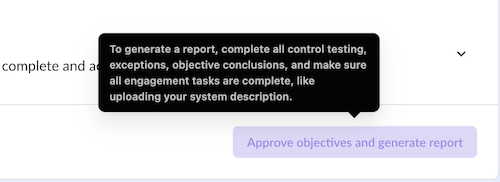
We added hover-over tooltips across key tasks and features for both auditors and auditees, so the guidance is always one hover away — no documentation hunting required.
Why it matters: Shorter learning curves for new users, fewer "what does this do?" moments, and a more confident audit experience for everyone.
18) Select All Rows Across All Pages (Yes, All of Them)
The checkbox in a table header should do exactly what it implies — select everything. Now it does.
Checking the header checkbox now selects ALL applicable rows across every page, not just the ones visible on screen. You'll also see a running count of how many rows are selected, so you always know exactly what you're acting on.
Why it matters: No more page-by-page selecting. Bulk actions work the way you expect them to.
19) Summary Counters for Controls and Audits (The Numbers You Didn't Know You Needed)
At a glance, you should always know the scale of what you're working with.
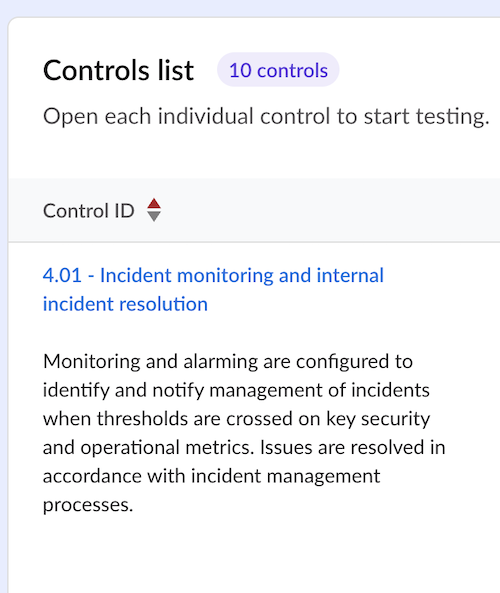
We added summary counters throughout Audora to show the total number of controls and audits in your workspace, no more mentally tallying rows or scrolling to estimate scope.
Why it matters: Better visibility into your portfolio, faster context-setting at the start of a session, and one less thing to figure out manually.
20) Bug Fixes and Security Improvements (The Unsexy Stuff That Keeps Everything Else Running)
We squashed a significant number of bugs and made continued security improvements and patching across the platform - addressing edge cases, tightening up workflows, and keeping Audora stable and secure as we scale.
Why it matters: Fewer interruptions, fewer surprises, and a platform you can trust to hold up during busy season.
What's Next
March is a big month, but we're just getting started.
Here's what's on the horizon for 2026:
Admin-level file and user management
Control and task queues
Two-factor authentication (2FA) for stronger access protection
Integration improvements and expanded framework support (ISO, HIPAA, and more)
Advanced reporting and export capabilities
Continued performance and scalability improvements
If you're already on Audora, keep an eye on your inbox — more updates are on the way.
Want to see it live? 👉 Try Audora: Book a Free Trial
Book a Strategy Session: Book a Session
