

Announcing Audora Feature Release 1/13/2026
What’s New in Audora: Visibility Up, Clicks Down
Audits don’t get delayed because auditors forget the standards. They get delayed because of the tiny stuff: chasing status, re-sorting lists, re-checking templates, re-sending invites, and juggling changes late in the engagement.
So this month, we shipped a batch of updates focused on one thing: help auditors move faster with less friction, while keeping audits clean, consistent, and defensible.
Here’s what’s new.
1) Real-time engagement status (progress rings everywhere)
The fastest way to manage an audit is knowing instantly where things stand.
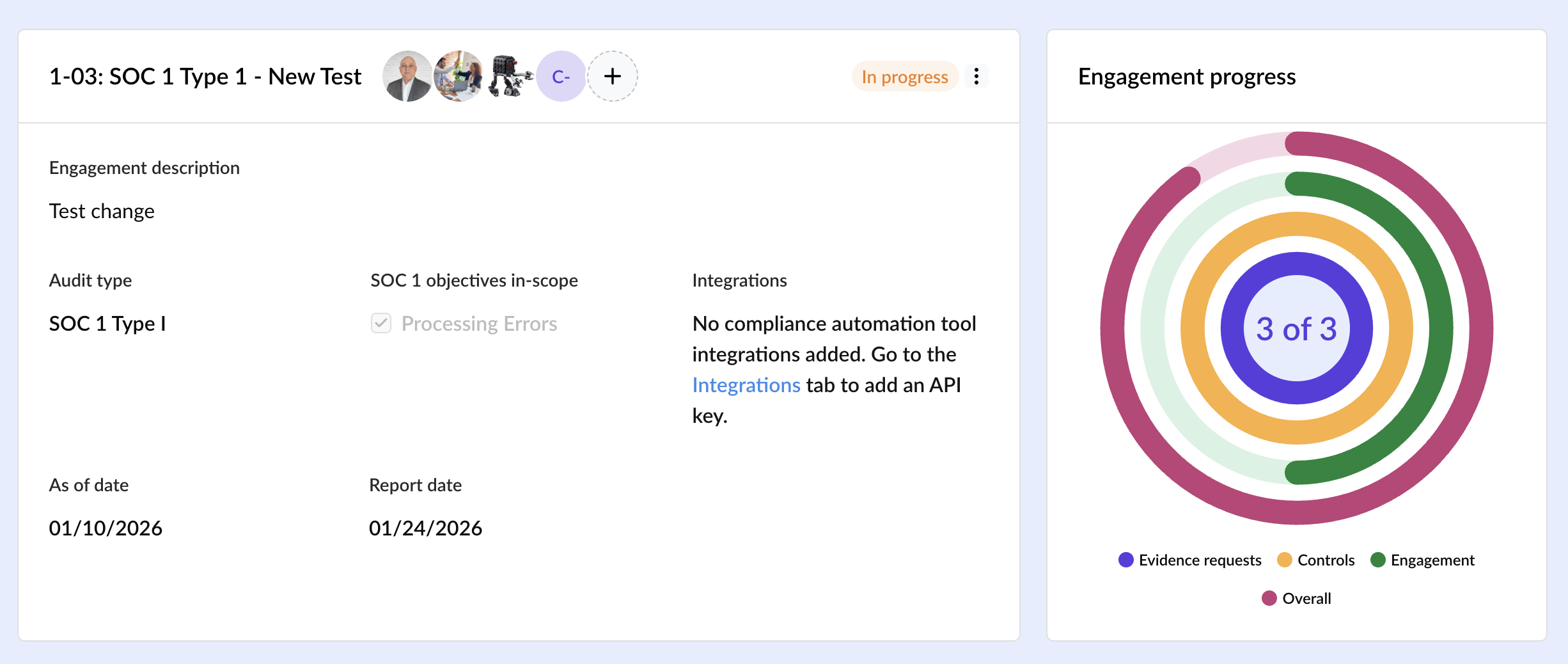
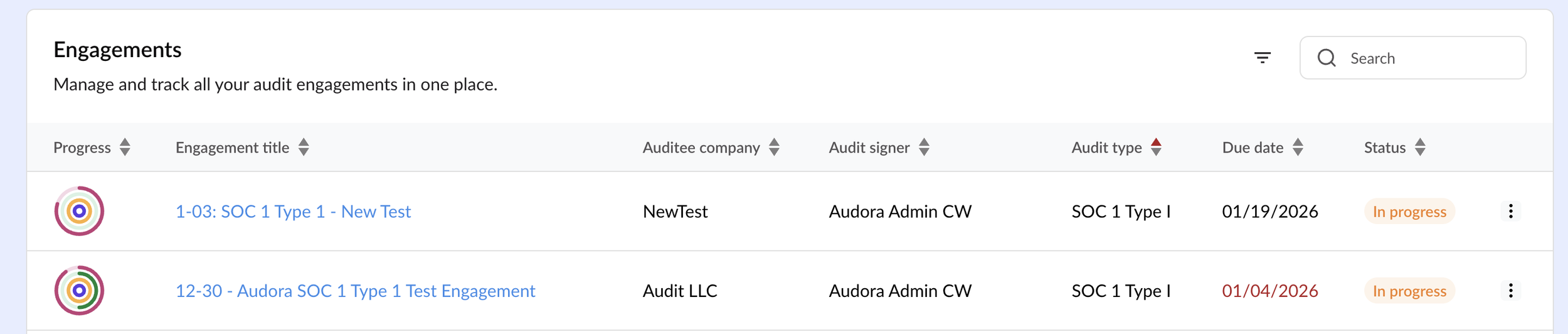
With new progress rings, you can now see the real-time completion status of every engagement right from the Engagements list. Click into an engagement and you’ll also see status rings inside, with hover details that show what’s completed vs what’s remaining (controls and evidence requests).
Why it matters: fewer status meetings, faster triage, and a clearer picture of “what needs attention today.”
2) Search / sort / filter across Audora (like it should’ve always been)
Auditors shouldn’t have to “scroll and hope.”
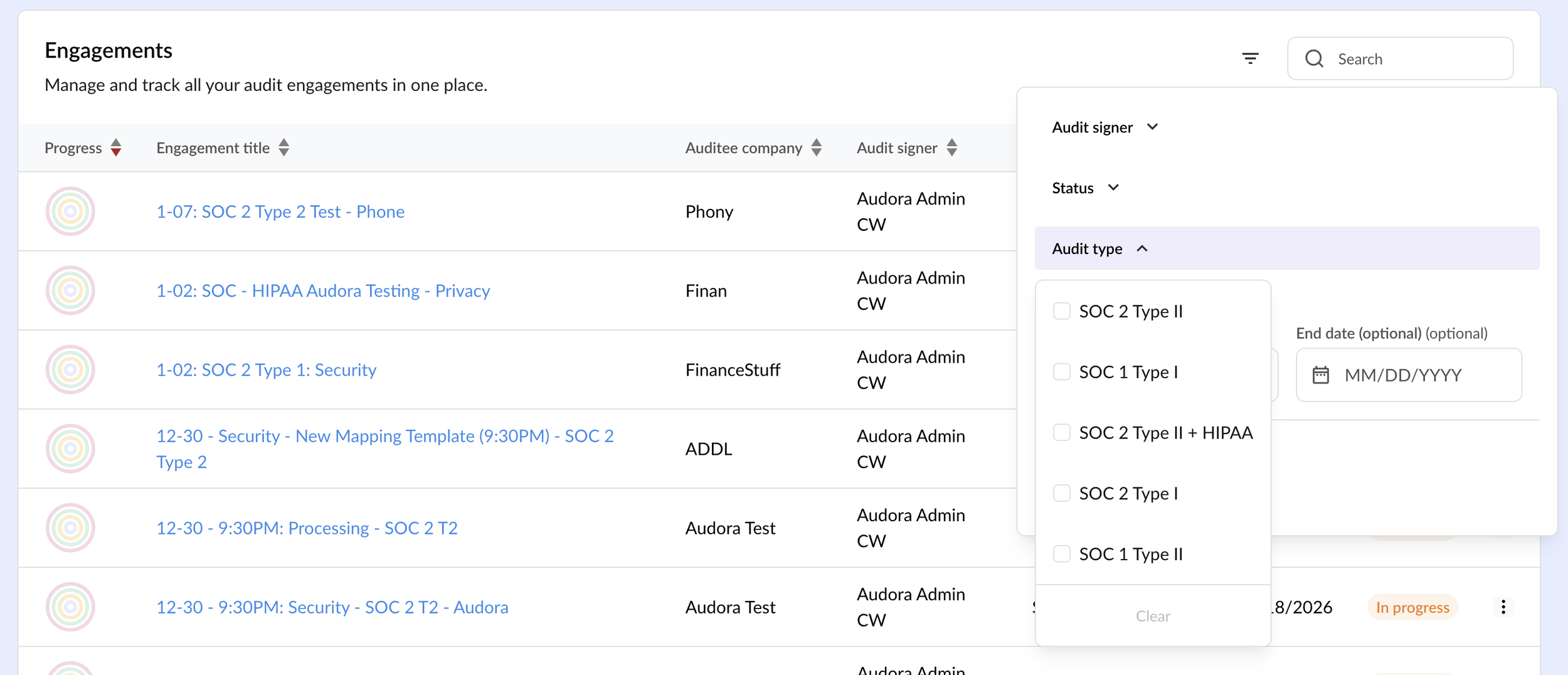
We added the ability to search, sort, and filter across ALL tables in Audora, including:
Engagement sorting (title, owner, date, audit type, progress)
NEW: Sort engagements by the Progress bar view to quickly scan overall status across your portfolio
Task sorting inside engagements (task, date, owner)
Keyword search
Pre-built filters
And filters that stay in place until you reset them (because you’re busy)
Why it matters: faster navigation, faster review, fewer clicks, and less mental overhead during busy season

3) Practice Insights dashboard (your lightweight command center)
Managing multiple audits at once is a different job than running just one.
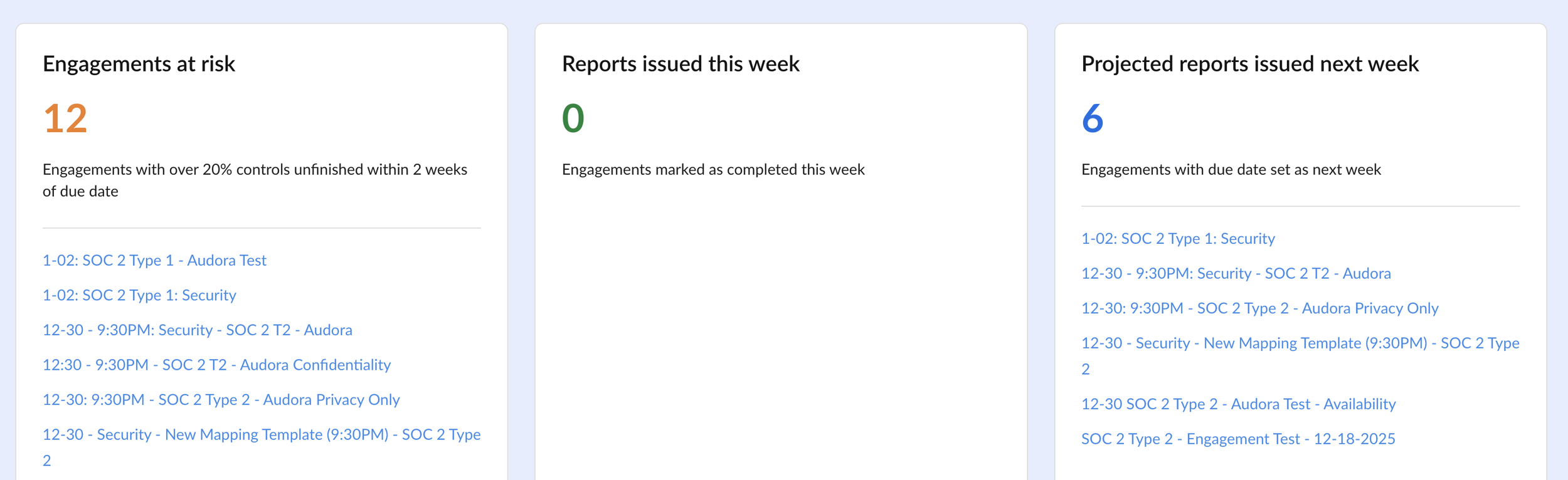
The new Practice Insights dashboard helps firms quickly view:
Engagements at risk
Reports issued this week
Projected reports for next week
Why it matters: better planning, better resource allocation, and earlier intervention before something goes sideways.
4) Templates + reporting upgrades (faster setup, fewer surprises)
Reporting shouldn’t be stressful. It should be predictable.
We rolled out:
New default audit templates to help you get started quickly
Pre-loaded report and mapping templates for faster first engagement setup
Real-time validation when uploading templates (catch issues immediately)
A clearer Report Tags view to help you understand what to update and where
Automatic validation checks every 24 hours to alert you if something changes that could impact reporting
Why it matters: less “template troubleshooting,” faster report generation, and fewer end-of-audit surprises.
5) Better collaboration (auditors + auditees)
Audit work is a team sport, especially when evidence collection is involved.
We improved the experience for inviting users, assigning roles, and resending invitations when someone misses the email (you know who you are 😉). We also added a small-but-mighty upgrade: faces instead of initials in engagements so it’s clearer who’s involved.
Plus, you can now create engagements without adding the auditee immediately using Skip auditee and add them later anytime.
Why it matters: faster kickoff, fewer access issues, and smoother evidence workflows.
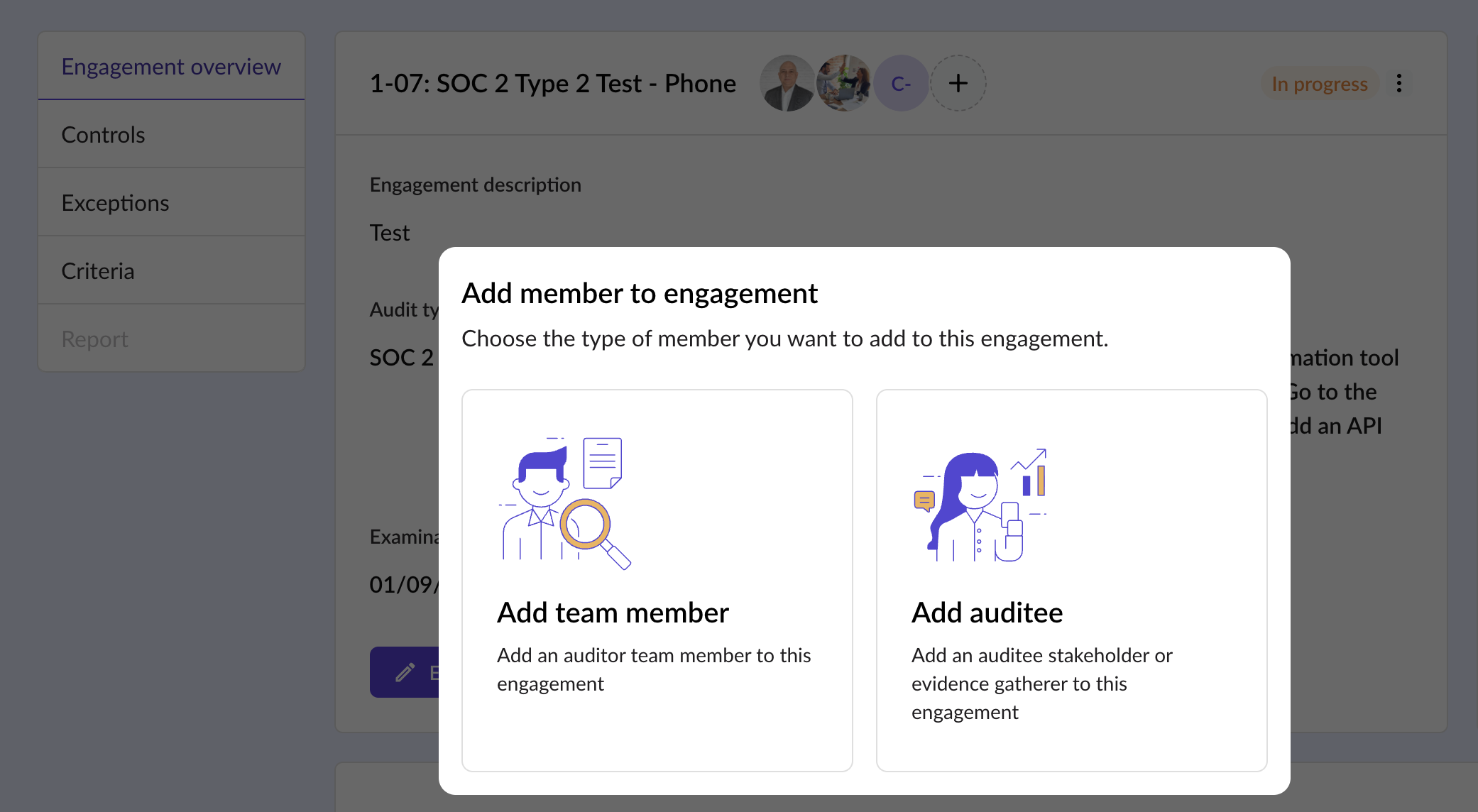
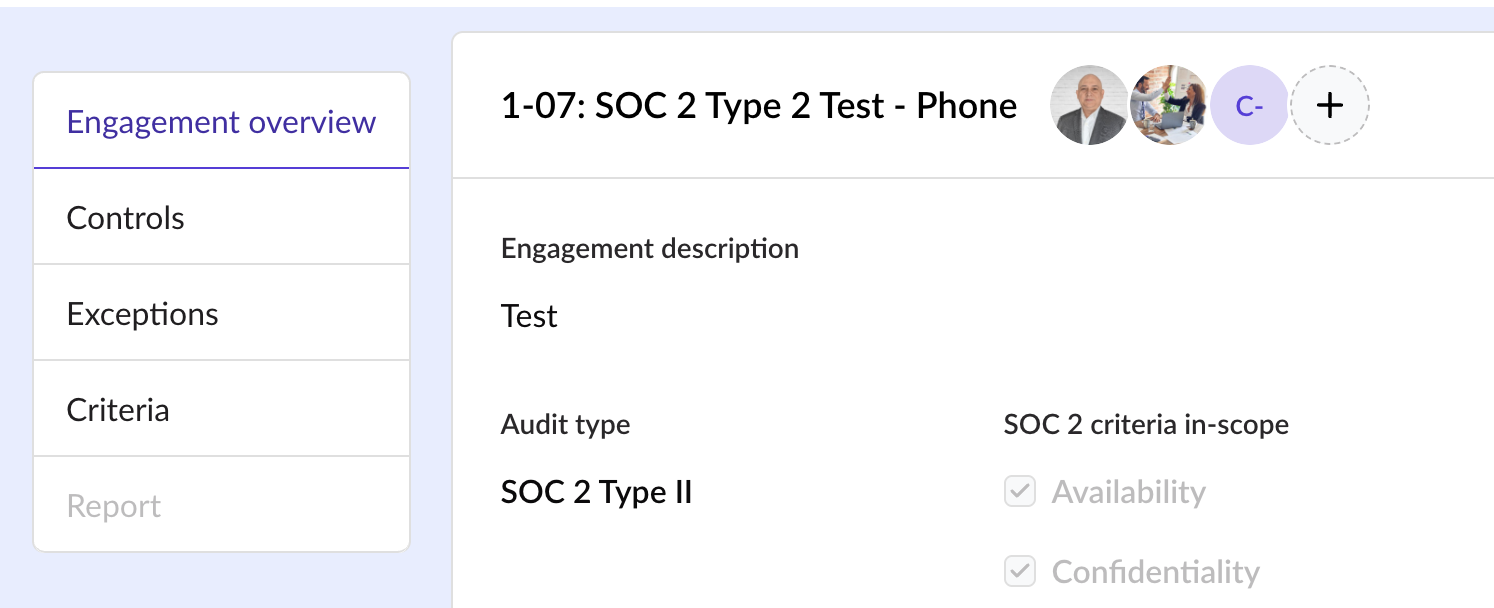
6) Attachment visibility at a glance (paperclip indicators) 📎
Ever opened an evidence request just to check, “Wait… does this already have a file attached?”
Now you don’t have to.
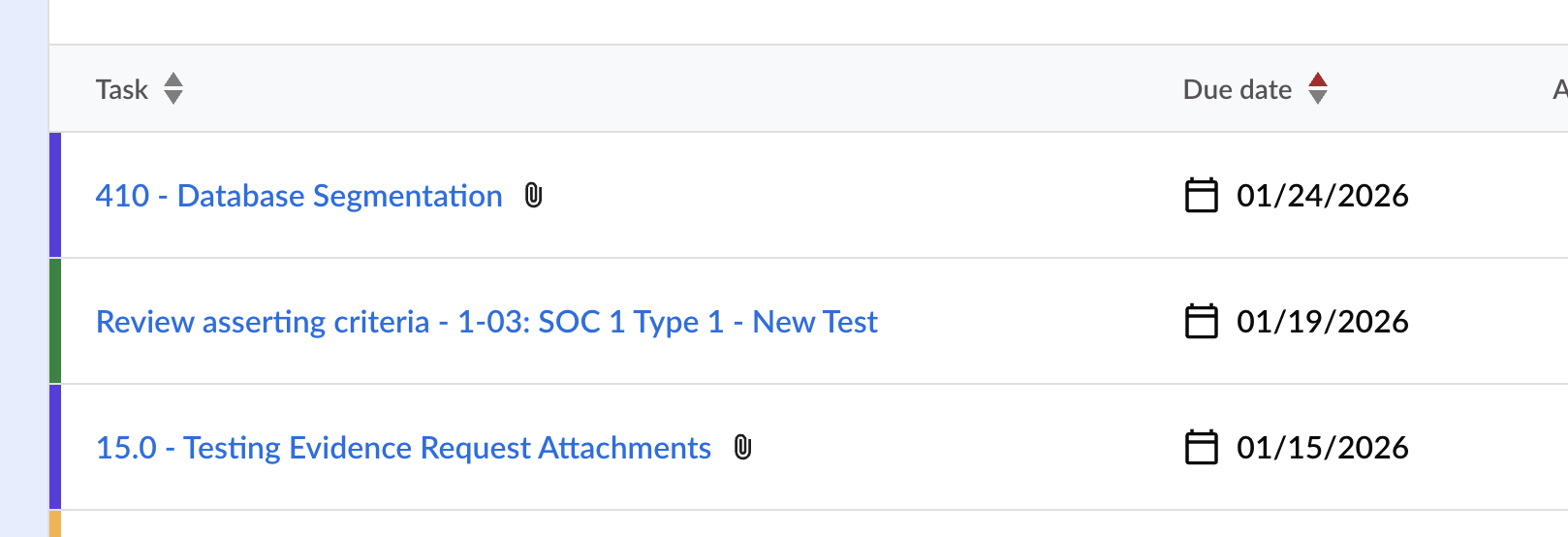
Audora will show a paperclip icon next to the title when a control or evidence request has attachments, so you can instantly see what already has supporting files.
Why it matters: fewer clicks, faster review, and less duplicate “please upload again” back-and-forth.
7) Exceptions got more flexible (even late-stage)
Sometimes exceptions evolve as evidence arrives or scope gets clarified.
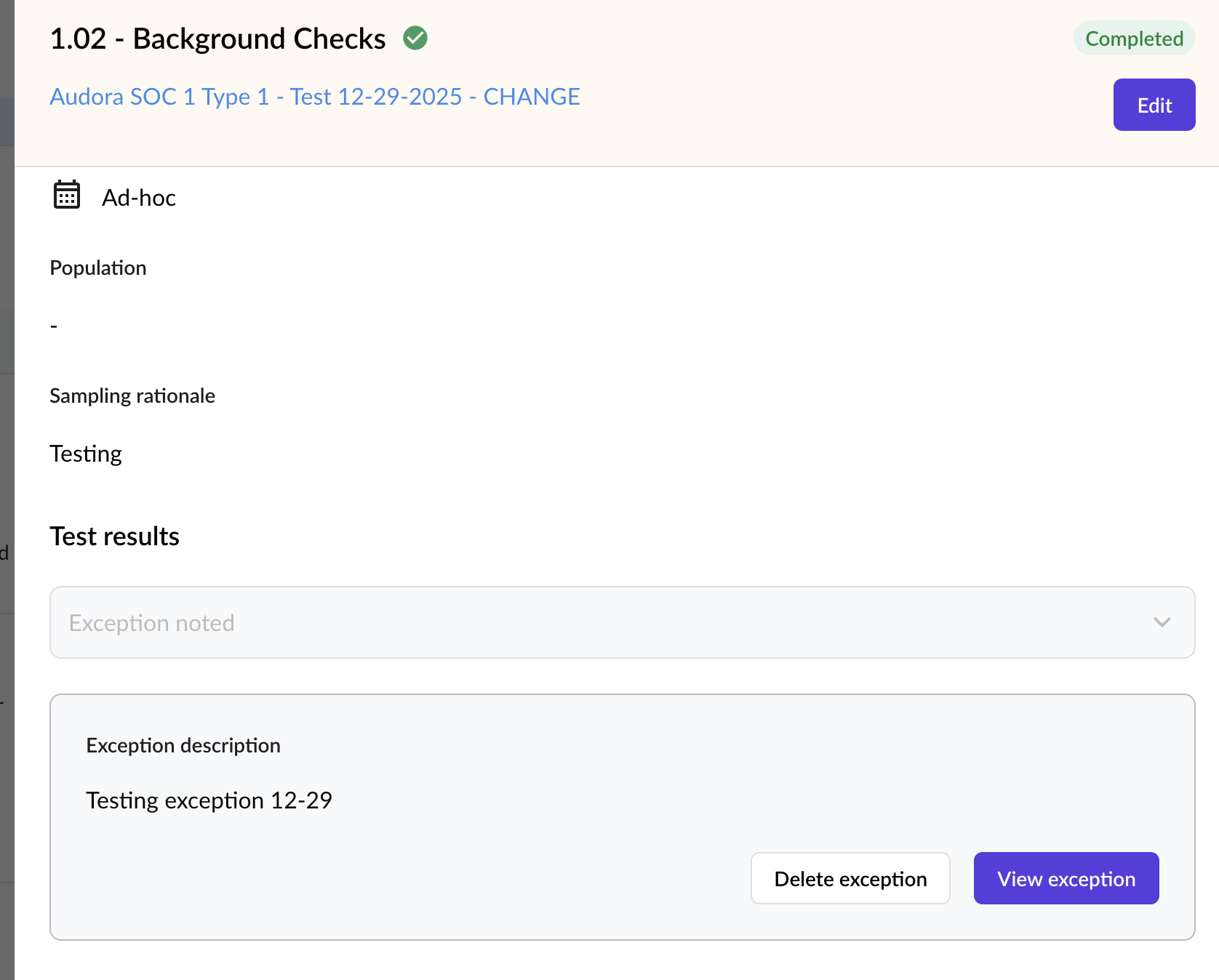
We made exceptions more flexible so you can create, edit, and delete them more easily — including later in the audit.
Why it matters: less rework, cleaner documentation, and a more realistic workflow for how audits actually run.
8) Cleaner editing and audit-friendly language (plus late-stage ID/title edits)
We simplified editing fields in drawers (controls, evidence requests, exceptions) and improved consistency so the interface feels predictable as you move through tasks.
We also adjusted wording to match audit workflows better:
“Assigned to” and “Created by” (instead of Assignee/Reporter)
Improved sorting and sequencing of controls and criteria for easier review
NEW: Ability to edit Control and Evidence Request IDs and titles, even in the late stages of an audit (perfect for cleanup, naming conventions, and last-minute fixes)
Why it matters: faster review, less confusion, smoother handoffs—and fewer “we’ll fix it next time” notes.

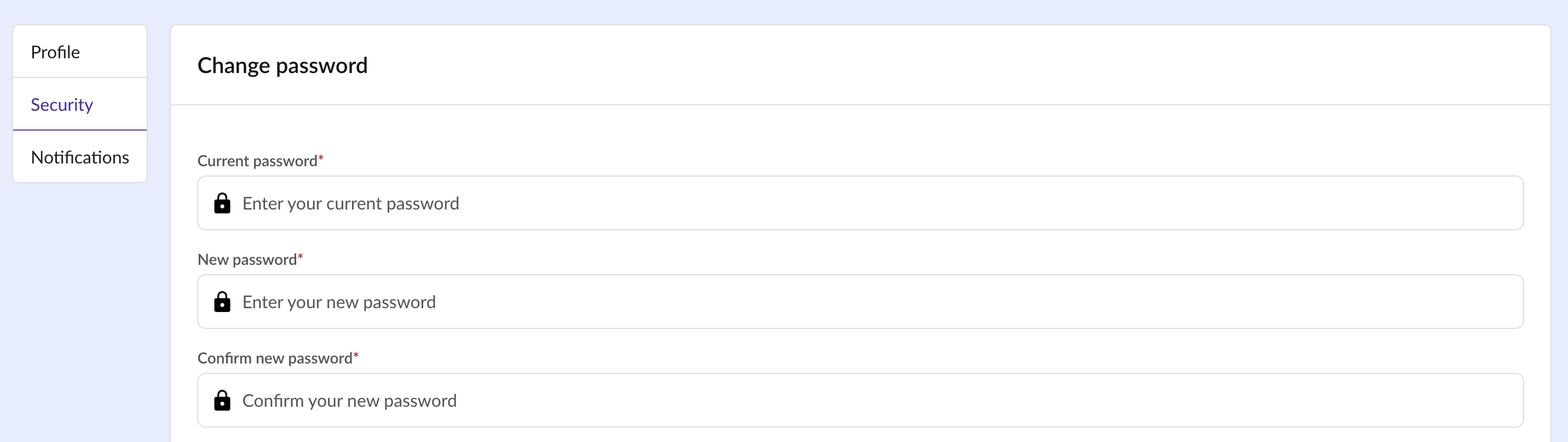
9) Security and profile upgrades (with more on the way)
Security should be built-in and not bolted on.
We added:
A new settings menu in your profile
Password change options
Automatic logout after 4 hours
And 2FA is on the way for even stronger access protection
Why it matters: better security for auditor + auditee access, without extra hassle.
10) Bug fixes + polish (the unsexy stuff that matters)
We also squashed a bunch of bugs and improved stability across the product.
Why it matters: fewer interruptions, fewer edge-case headaches, smoother day-to-day use.
What’s next
This is part of an ongoing rollout in 2026 focused on:
Better visibility across engagements
Faster reporting workflows
Integration improvements
Admin file support
Self-service engagement rollover support
Support for ISO, Generic and other frameworks
Security and collaboration enhancements
If you’re already using Audora, keep an eye out, more improvements are coming.
Want to see it live?
👉 Try Audora: Book a Free Trial
👉 Book a 15-minute walkthrough: Book a Walkthrough
